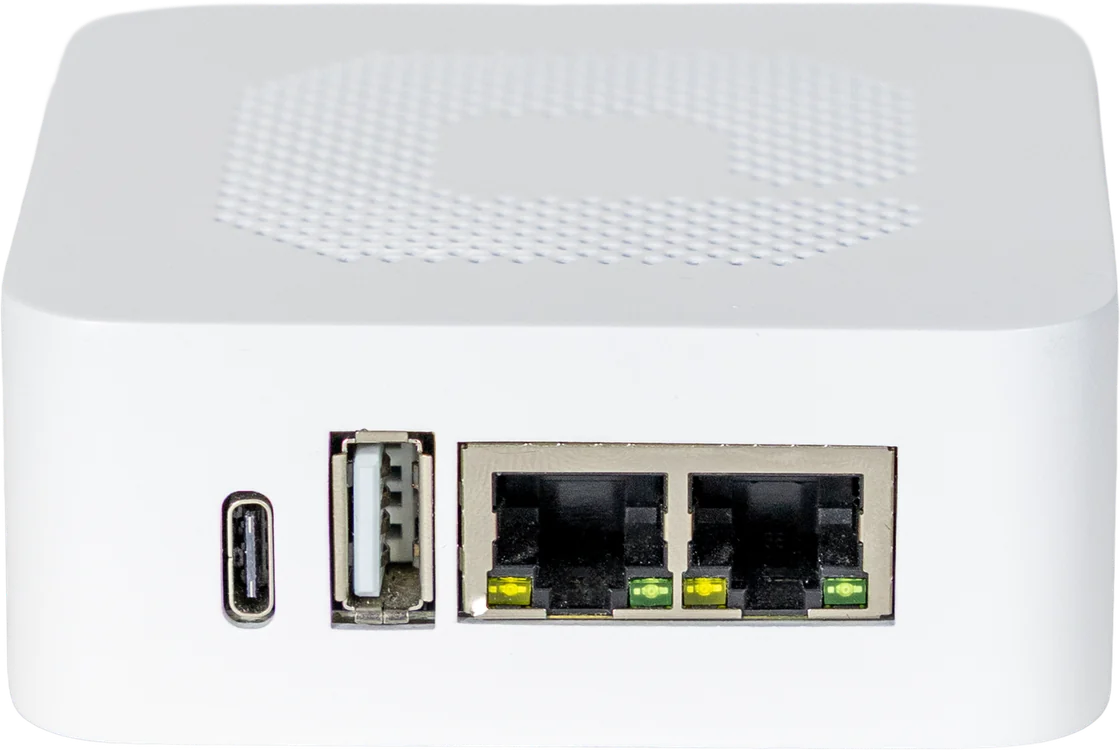
edalsoOne, the gateway that connects your building
Connect the building's equipment and technologies to edalsoBMS and run the platform's configurations and automations locally.
Connected devices
Main building
- ThermostatSouth RoomZigbee22.6 °C
- CO₂ sensorMeeting roomLoRaWAN710 ppm
- Main meterMain switchboardModbus TCP/IP86.2 kW
- ChillerSupply waterBACnet/IP7.0 °C
- LightingFloor 1MQTTOn
- 58 more devices
Meeting roomCO₂ · today
Good710ppm
Everything essential runs locally. With or without Internet
edalsoOne communicates with the connected equipment and locally runs the Flows, calendars and actions configured to operate in the building.
If the Internet connection is interrupted, these functions keep working. Once it is restored, edalsoOne re-establishes communication with the cloud and remote access.

Connectivity and processing power
Connectivity





Processing
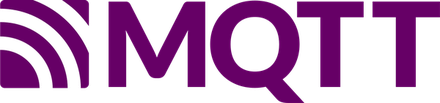
- 1.5 GHzQuad-core processor.
- 8 GBLPDDR4 RAM.
- 32 GBeMMC storage.
Extend your Zigbee installation with edalsoEcho
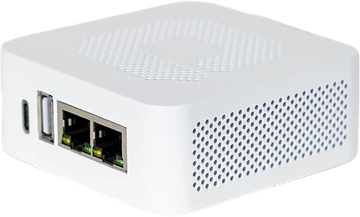
When a single Zigbee network is not enough, add one or more edalsoEcho units to create additional networks in the areas that need them.
edalsoBMS centralises the devices connected to edalsoOne and to each edalsoEcho so you can manage the whole installation from the same environment.
 edalsoOne
Remote updates, under your control
Install the available edalsoOne versions remotely from edalsoBMS, without travelling to the building.
Decide when to update each gateway and let different installations evolve at their own pace.
Gateways
Version 2.9.3- Head officeedalsoOne · v2.9.3Up to date
- Branch AedalsoOne · v2.9.1Up to date
- Main buildingedalsoOne · v2.9.1Scheduled · Sunday, 3:00
- Branch BedalsoOne · v2.9.3Up to date
Protect the configuration of every installation
Save a copy of the configuration of the devices, Flows, calendars, integrations and other elements associated with edalsoOne.
Local backups whenever you need them
Manually create a backup and store it locally before making major changes to the installation.
Automatic cloud backup
The configuration is also saved automatically to the cloud once a month, adding an extra layer of protection.
Backups
edalsoOne · Branch A- Local backupManual12 Sep · 10:42Downloaded
- Cloud backupAutomatic · monthly1 Sep · 03:00Saved
Contains
- 52 Devices
- 9 Flows
- 2 Calendars
- 1 Integrations
Connect your building with edalsoOne
Tell us which equipment and technologies you need to integrate. We'll help you define how to use edalsoOne to connect them to edalsoBMS and run the building's automations.
Frequently asked questions
What is edalsoOne?
edalsoOne is the edalso gateway: it connects the building's equipment and technologies to edalsoBMS and runs the platform's configurations and automations locally.
Which protocols does edalsoOne support?
Zigbee 3.0, LoRaWAN (with the built-in ChirpStack network server), Modbus TCP/IP, MQTT and BACnet/IP. Other technologies can be added using the appropriate third-party gateways or converters.
What happens if the building loses its Internet connection?
Everything essential keeps working. edalsoOne locally runs the Flows, calendars and actions configured for the building. When the connection returns, it re-establishes communication with the cloud and remote access.
What is edalsoEcho for?
It extends the Zigbee installation when a single network is not enough. Each edalsoEcho connects to edalsoOne by network cable (LAN) and creates its own independent Zigbee network in the area that needs it. edalsoBMS manages all the devices from the same environment.
Can it be configured before it is taken to the building?
Yes. The installer can pair the devices with the gateway at their office and leave it configured, so that on site it only needs to be connected. Zigbee pairing is done with the gateway and the devices together, in the same place. After that, calendars, alerts, dashboards and automations are configured remotely.
How is it updated and how is its configuration protected?
Updates are installed remotely from edalsoBMS, whenever you decide, for each gateway. The configuration is saved automatically to the cloud once a month, and you can also create a local backup before a major change.